Approval Workflows
Set up and manage approval workflows for invoices, payments, discounts, and other critical business operations to ensure proper authorization and control.
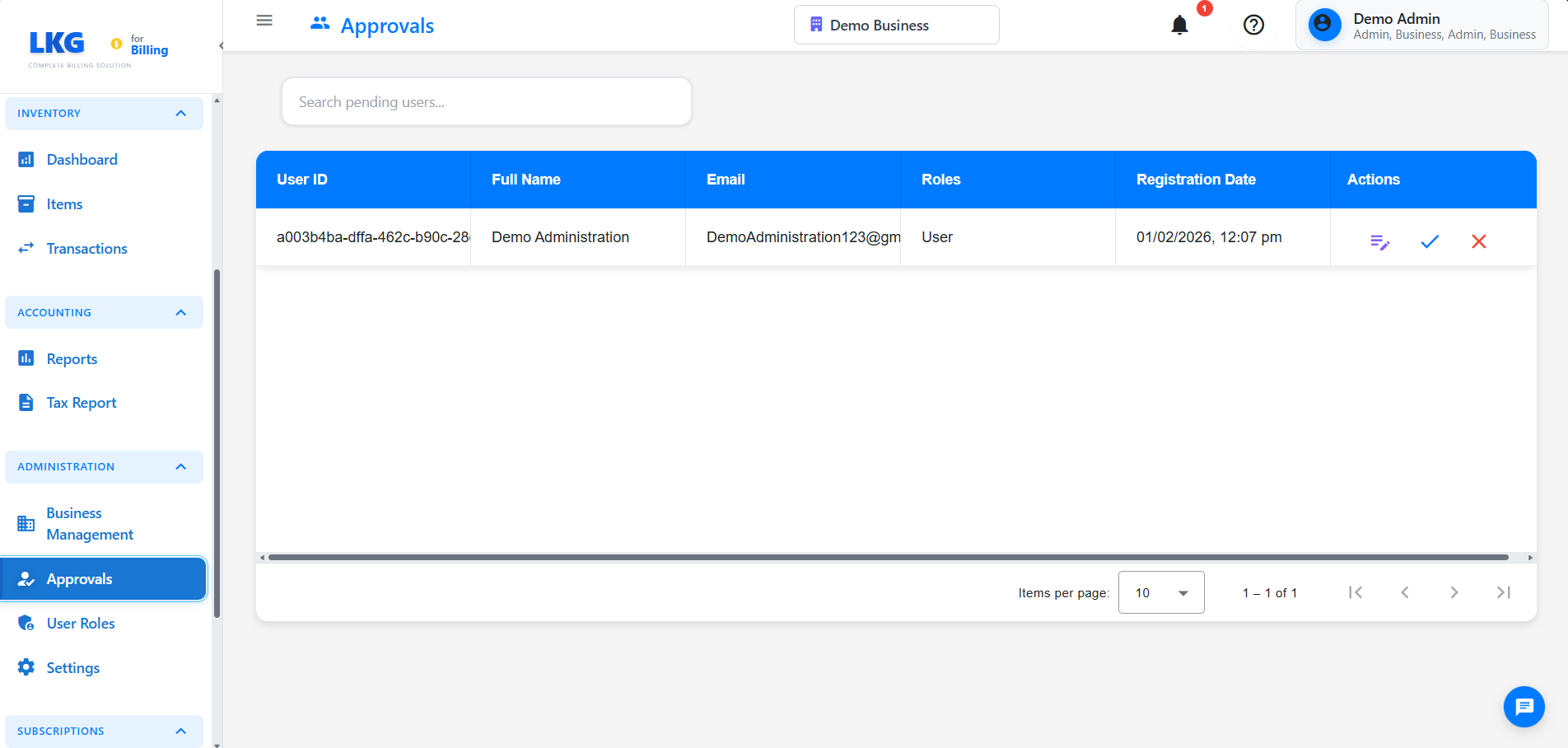
Overview
Approval Workflows allow you to:
- Configure multi-level approval processes
- Set approval hierarchies and rules
- Define approval thresholds
- Track approval requests
- Manage pending approvals
- Audit approval history
Accessing Approvals
- Navigate to Administration → Approvals
- Or go to Settings → Approval Workflows
Types of Approvals
Invoice Approvals
When Required
- Invoices above a certain amount
- Discounts exceeding threshold
- Credit notes and refunds
- Bulk invoice generation
Approval Levels
- Level 1: Manager approval (up to ₹50,000)
- Level 2: Senior Manager (₹50,000 - ₹2,00,000)
- Level 3: Director (above ₹2,00,000)
Payment Approvals
Payment Types
- Vendor payments
- Refunds to customers
- Advance payments
- Expense reimbursements
Approval Criteria
- Amount threshold
- Payment method
- Vendor category
- Urgency level
Discount Approvals
Discount Scenarios
- Discount percentage > 10%
- Flat discount > ₹5,000
- Promotional discounts
- Customer-specific pricing
Approval Flow
- Sales team requests discount
- Manager reviews and approves
- Finance team notified
- Discount applied to invoice
Configuring Approval Workflows
Creating an Approval Workflow
- Click Create Workflow
- Select workflow type (Invoice, Payment, Discount, etc.)
- Define workflow name and description
- Set activation conditions
Example: Invoice Approval Workflow
Workflow Name: High-Value Invoice Approval
Type: Invoice
Trigger: Invoice amount > ₹1,00,000
Managing Approval Requests
Pending Approvals Dashboard
View Pending Requests
- List of all pending approvals
- Requester name and date
- Request type and amount
- Priority indicator
- Days pending
Filter Options
- By type (Invoice, Payment, Discount)
- By status (Pending, Approved, Rejected)
- By date range
- By requester
- By amount range
Approving Requests
Approval Process
- Click on pending request
- Review request details
- Check supporting documents
- Add comments (optional)
- Click Approve or Reject
Performance Metrics
- Approver response time
- Bottleneck identification
- Workflow efficiency
- Compliance rate
Related Pages
- User Roles - Assign approval permissions
- Business Management - Configure business rules
- Settings - System preferences