Subscription Plans
Manage your LKG for Billing subscription, compare available plans, and choose the best option for your business needs.
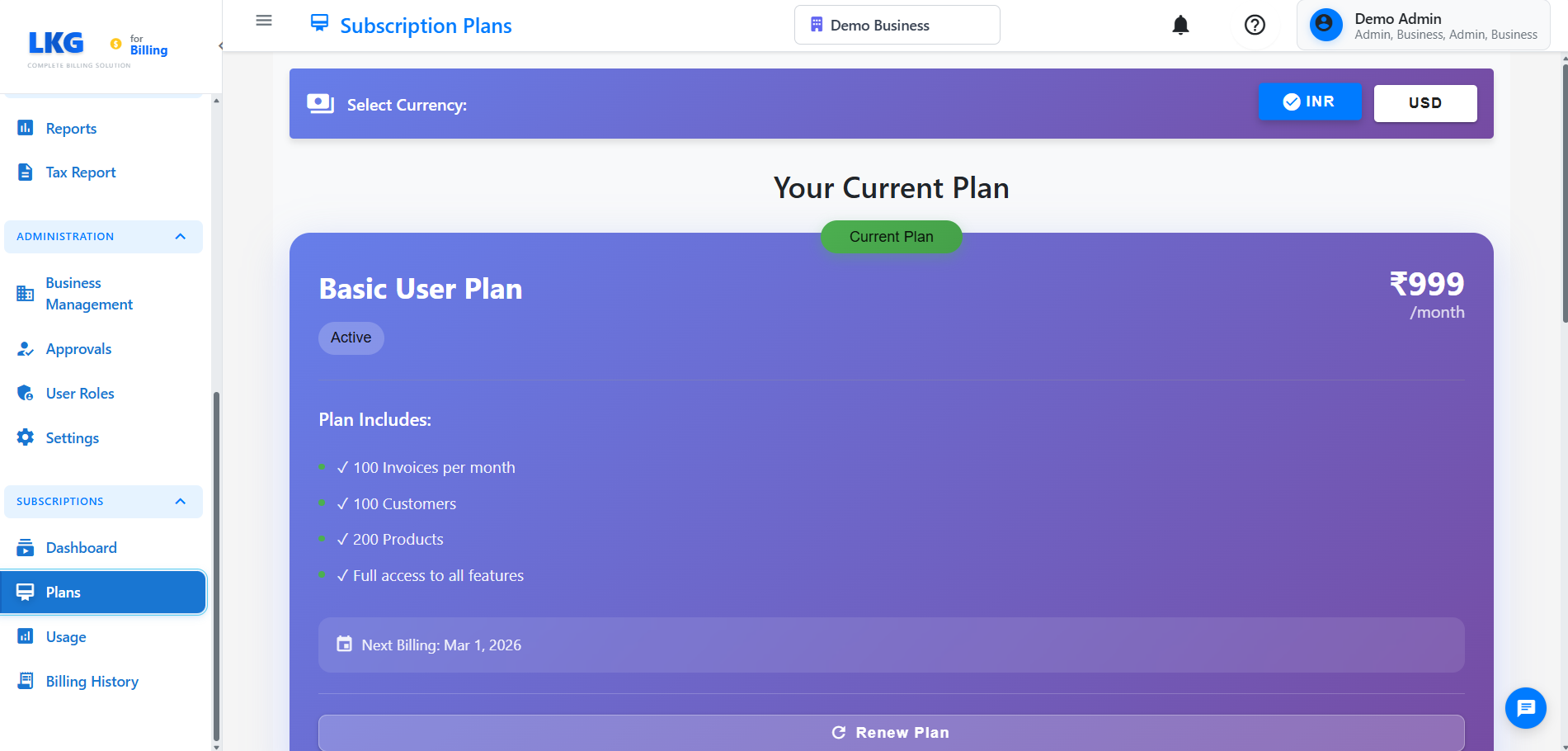
Overview
The Subscription Plans page allows you to:
- View your current subscription plan
- Compare available pricing tiers
- Upgrade or downgrade your plan
- See feature differences between plans
- Understand billing cycles and pricing
Accessing Subscription Plans
- Navigate to Subscription → Plans from the main menu
- Or click on your profile and select Subscription Plans
Available Plans
Free Trial Plan
- Duration: 30 days
- Cost: ₹0 (Free)
- Features:
- Limited number of invoices
- Basic reporting
- Single user access
- Email support
- All core features enabled
Best for: Testing the application and small businesses getting started
Starter Plan
- Monthly: ₹499/month
- Yearly: ₹4,990/year (Save 17%)
- Features:
- Up to 100 invoices per month
- 2 user accounts
- Basic reports
- Email support
- Mobile app access
- Data backup
Best for: Small businesses and freelancers
Professional Plan
- Monthly: ₹999/month
- Yearly: ₹9,990/year (Save 17%)
- Features:
- Up to 500 invoices per month
- 5 user accounts
- Advanced reports
- Priority email support
- Mobile app access
- Automated reminders
- Custom invoice templates
- Data backup and export
Best for: Growing businesses with multiple users
Enterprise Plan
- Monthly: ₹2,499/month
- Yearly: ₹24,990/year (Save 17%)
- Features:
- Unlimited invoices
- Unlimited users
- All reports and analytics
- Priority phone and email support
- Mobile app access
- API access
- Custom integrations
- Dedicated account manager
- Advanced security features
- White-label options
Best for: Large businesses and enterprises
Plan Comparison
| Feature | Free Trial | Starter | Professional | Enterprise |
|---|---|---|---|---|
| Invoices/Month | Limited | 100 | 500 | Unlimited |
| Users | 1 | 2 | 5 | Unlimited |
| Reports | Basic | Basic | Advanced | All |
| Support | Priority Email | Phone + Email | ||
| Mobile App | ✅ | ✅ | ✅ | ✅ |
| API Access | ❌ | ❌ | ❌ | ✅ |
| Custom Templates | ❌ | ❌ | ✅ | ✅ |
| Automated Reminders | ❌ | ❌ | ✅ | ✅ |
| White-label | ❌ | ❌ | ❌ | ✅ |
How to Change Your Plan
Upgrading Your Plan
- Click the Upgrade button on the desired plan
- Review the new plan features and pricing
- Confirm the upgrade
- Enter payment details (if not already on file)
- Complete the payment
- Your plan will be upgraded immediately
When you upgrade mid-cycle, you'll only pay the difference for the remaining days in your billing period.
Downgrading Your Plan
- Click the Downgrade button on the desired plan
- Review the feature limitations
- Confirm the downgrade
- The downgrade will take effect at the end of your current billing cycle
Ensure your usage is within the new plan's limits before downgrading. Excess data may be archived or restricted.
Billing Cycles
Monthly Billing
- Charged every month on the same date
- Cancel anytime
- No long-term commitment
- Flexible for changing business needs
Yearly Billing
- Charged once per year
- Save 17% compared to monthly billing
- Best value for money
- Ideal for established businesses
Payment Methods
Accepted payment methods:
- Credit/Debit Cards (Visa, Mastercard, RuPay)
- UPI
- Net Banking
- Digital Wallets
Frequently Asked Questions
Can I switch between monthly and yearly billing?
Yes, you can switch at any time. The change will take effect at the end of your current billing cycle.
What happens if I exceed my plan limits?
You'll receive a notification to upgrade your plan. Some features may be restricted until you upgrade or your usage decreases.
Can I cancel my subscription?
Yes, you can cancel anytime. Your access will continue until the end of your paid period.
Do you offer refunds?
Refunds are provided on a case-by-case basis within 7 days of purchase. Contact support for assistance.
Is there a setup fee?
No, there are no setup fees or hidden charges. You only pay the subscription price.
Need Help Choosing?
Not sure which plan is right for you?
- Contact Sales: sales@lkgforbilling.com
- Live Chat: Available on the website
- Phone Support: +91-XXXX-XXXXXX
After selecting your plan, visit the Usage page to monitor your consumption and Billing History to view past invoices.