Deleting Invoices
Learn when and how to delete invoices, understand deletion restrictions, and maintain proper audit trails.
🗑️ Deletion Rules by Status
Different invoice statuses have different deletion policies:
| Status | Can Delete? | Conditions |
|---|---|---|
| Draft | ✅ Yes | Anytime, no restrictions |
| Finalized/Sent | ⚠️ Limited | Admin only |
Deleting invoices with payments can violate accounting regulations. Always use credit notes for paid invoices.
Deleting Draft Invoices
Single Draft Deletion
Draft invoices can be deleted freely:
- Go to Invoices page
- Filter by Draft status (optional)
- Find the draft invoice
- Click Actions menu (⋮)
- Select Delete
- Confirm deletion in the popup
- Invoice is permanently removed
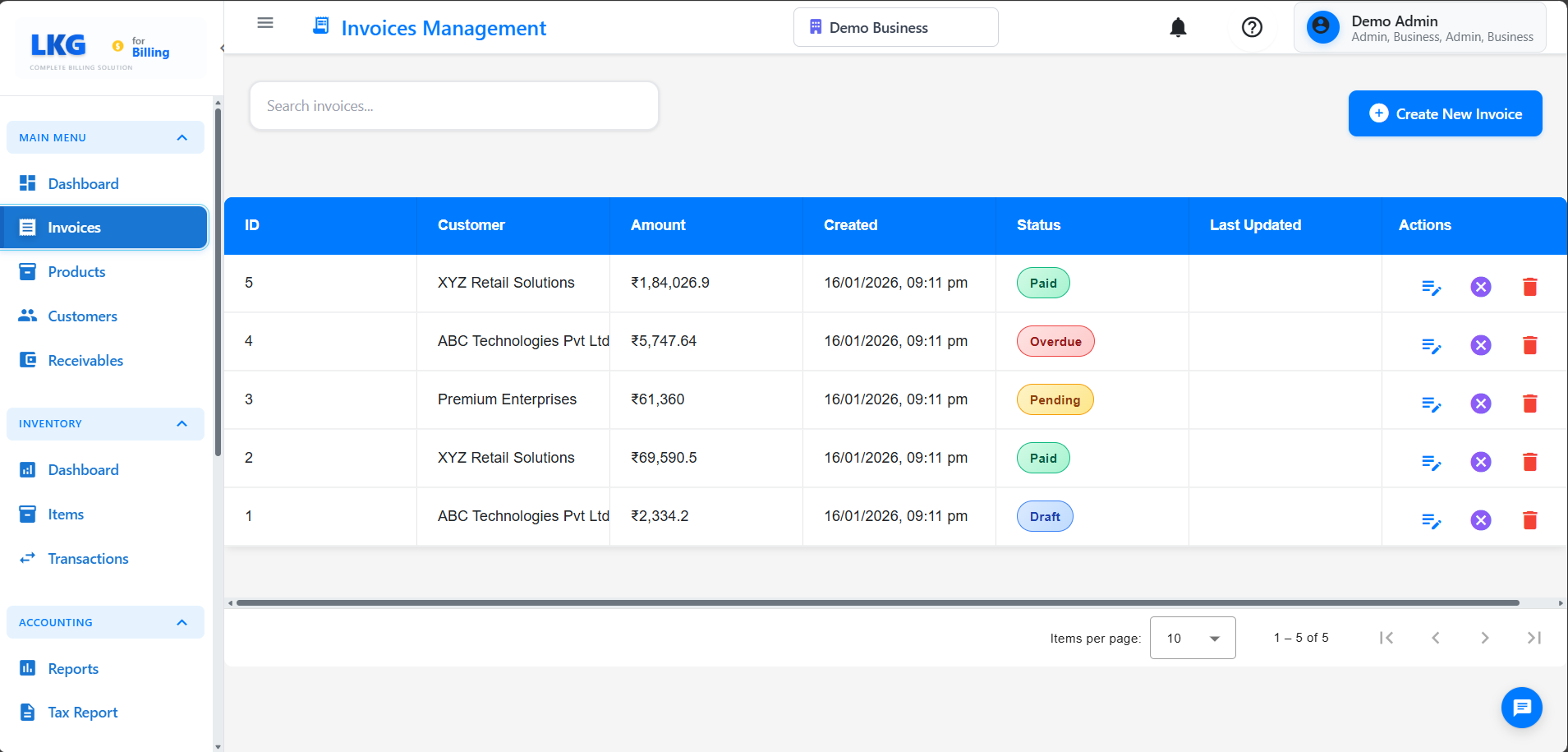
Draft invoices haven't been sent to customers and don't affect accounting, so they're safe to delete.
Admin Deletion Process
If deletion is absolutely necessary (admin only):
- Verify you have admin permissions
- Open the finalized invoice
- Click Actions → Delete
- System may show warning
- Enter deletion reason (required)
- Confirm deletion
Better Alternative: Cancel Invoice
Instead of deleting finalized invoices, contact your administrator to handle the situation appropriately based on your business process.
Cannot Delete Invoices
Invoices with Payments
Reason: Deleting would break accounting records and payment tracking.
Solution: Void and Credit Note
Deletion Permissions
User Roles
Admin/Owner:
- Can delete draft invoices
- Can delete finalized invoices (with restrictions)
- Cannot delete paid invoices
Regular User:
- Cannot delete draft invoices
- Cannot delete finalized invoices
- Cannot delete paid invoices
Common Error Messages:
"Insufficient permissions to delete invoice"
- Solution: Request admin access or ask admin to delete
"Cannot delete paid invoice"
- Solution: System policy prevents deletion, mark the invoice as use cancel
Next Steps
- Invoice Overview - Understanding invoice management
- Draft Invoices - Working with drafts
- Editing Invoices - Making changes
- Managing Payments - Recording payments
Critical Reminder: Always use Void instead of Delete for invoices that have been sent to customers or have payments. This maintains legal compliance and proper audit trails.